Loading Geometry Dash Online
Preparing your game…






More Games


About Geometry Dash Online
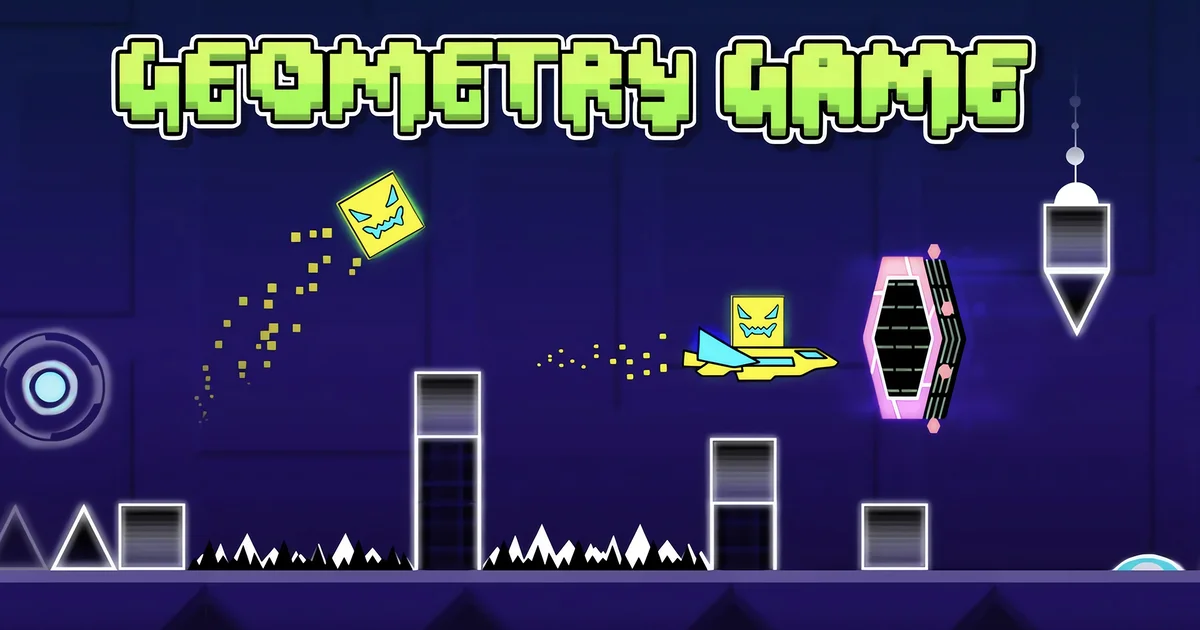
Geometry Dash Online is a free browser-based version of the iconic rhythm platformer originally created by RobTop Games. You control a geometric shape that automatically scrolls through vibrant, obstacle-filled levels, each one perfectly synchronized with an energetic music track. Timing your jumps and maneuvers to the beat is both the challenge and the thrill that has made this series a global phenomenon. The game features a variety of gameplay modes beyond the standard cube jump. You'll pilot rockets, flip through gravity tunnels, and steer vehicles as the levels escalate in complexity. Each obstacle — whether a spike, wall, or moving platform — demands precise timing and sharp reflexes. A single collision resets you back to the start, making every successful run deeply satisfying. This web version is built on the popular Scratch adaptation by Griffpatch and runs smoothly on both desktop and mobile browsers with no installation needed. Whether you're a returning fan or experiencing Geometry Dash for the first time, the addictive loop of failing, learning, and finally nailing a perfect run will keep you coming back for more.
How to Play Geometry Dash Online
Your character moves forward automatically, and your only job is to control when it jumps or changes direction. Tap the spacebar or the up arrow key to jump over spikes and obstacles. In certain sections the game switches your vehicle — use the up and down arrow keys to steer these segments. One hit from any obstacle sends you back to the beginning of the level. Use Practice Mode to place checkpoints throughout a difficult level so you can rehearse the hardest parts without replaying the entire stage each time. Listen closely to the background music — the rhythm directly mirrors the obstacle patterns, so syncing your inputs to the beat dramatically improves your timing. Memorization is key: most players complete levels only after many attempts.
Geometry Dash Online Controls
- SPACE / Up ArrowJump
- Hold SPACE / Hold Up ArrowMulti-jump (hold for repeated jumps)
- Up ArrowSteer vehicle upward
- Down ArrowSteer vehicle downward
Geometry Dash Online Tips & Strategies
- 1Use Practice Mode to place checkpoints at the hardest sections so you can rehearse without restarting the whole level.
- 2Listen to the music — obstacle patterns are synced to the beat, so letting the rhythm guide your jumps improves accuracy.
- 3Memorize each level layout; most runs are won through pattern recognition rather than pure reaction speed.
- 4Stay calm after a crash — frustration leads to rushed inputs. Take a breath and focus on one segment at a time.
- 5Watch the upcoming obstacles ahead of your character so you can prepare your next input rather than reacting at the last second.
Game Overview
Geometry Dash Online FAQ
Is Geometry Dash Online free to play?
Yes, Geometry Dash Online is completely free to play in your browser on CrazyGames with no download or account required.
Can I play Geometry Dash Online on mobile?
Yes, the browser version runs on mobile and tablet devices. The original game by RobTop Games is also available on iOS and Android app stores.
Who made Geometry Dash Online?
The original Geometry Dash was created by RobTop Games and released on August 13, 2013. This browser version is based on a Scratch adaptation by Griffpatch, available since May 2016.
Why does the game restart when I hit an obstacle?
Restarting on any collision is a core mechanic of Geometry Dash. It encourages players to memorize level layouts and practice precision, making each completed run a real achievement.
What is Practice Mode and how does it help?
Practice Mode lets you place checkpoints throughout a level, so when you die you respawn at the last checkpoint instead of the very beginning. It is the best way to master difficult sections without replaying the entire stage every time.